Me and a mate own a pritty successful graphics site (nearly 3000 members), i wont post the link/site here cos i dont want to apear to be advertiseing but if you want the link to the site you can pm me.
Up to now i think we have well over 400-500 photoshop tutorials mainly for sig making and alot of very talented members who can give good c&c on your artwork.
@Exile, i was only useing them as an example, but meh u can use it if u want:P
Nice one there Zyreal
Elder Alexander Cross Wrote:Darkness is a friend, an ally. Darkness allows us to understand others, to see what they value when they believe no one else is looking. It allows us to be honest with ourselves, to express those values that we would disavow in the light. The light blinds us. It is only in the dark that we see clearly, and there is a great dark hidden among these worlds
a while ago allready, yust forgot to post.
does annyone know a site where you can find GOOD pics, and then i mean good.
so far i've only found the same junk on all sites.
Lol i just got to Photobucket and type in what is intresting me at that point in time:P
Elder Alexander Cross Wrote:Darkness is a friend, an ally. Darkness allows us to understand others, to see what they value when they believe no one else is looking. It allows us to be honest with ourselves, to express those values that we would disavow in the light. The light blinds us. It is only in the dark that we see clearly, and there is a great dark hidden among these worlds
Since I'm willing to bet most of you are only using the Lasso and Magic wand for your selections, I though I would pass on some info I picked up this year from college. I was a Graphic Design/Advertising student. I left the course because I am not agressive enough for the advertising bit. I'll likely move into a somewhat more focused field of Packaging design or Desktop Publishing.
anyway my sig and Avatar are unoriginal and crude. This I will fix....
First thing you want to do is scale your pictures before you begin to edit them. Also make sure they have the same DPI. Check that info here....
Now the fun part, we get separate the guy from his background. Selections are made in 2 ways, by shape and by colour. Colour is of course the magic wand tool, shape is the Lasso tool and its counterpart the marquee tool. I will be using neither of these, although it is possible to get away with the Magic Wand for this image.
Most of you are familiar with the pen tool. This tool most useful feature is that the shape you make can be used as a selection. To do that go to the window that has you layers in it. Click on the Path tab. Then click on the arrow to the right and select New Path.
Make a shape around the object you wish to cut out..
Now you want to right click on your active path and select "Make Selection"
You will get this window that asks you to state a feather radius. Feathering creates a "tolerance" at the edge of your selection that makes it feel more organic and look better when you paste it over another image. Everything selection you make needs a different feathering so This you will have to play with a bit.
In my case 2 is sufficent. You can add feathering to a selection made through one of the normal tools by going to the select menu and clicking on Feather or by using the keyboard shortcut Alt-Crtl-D.
At the bottom of the select menu is the uber-important, super-useful, why-wasn't-I-told-about-this-sooner..... Save Selection. It is very difficult to make the same selection twice, particularly with Lasso, Marquee, and Magic Wand. This small function saves allot of grief and allows you to move your selection around more freely. All you have to do is reload the selection when you need it.
You will notice that there are four options under "operation" in this menu.
New Channel: Saves a new selection that you can load
Add to Channel: If you have selected more of an image and wish that become part of your previous selection use this. You could also call this a merge
Subtract from Channel: Reverse of above
Intersect with Channel: any part of the 2 selections you are saving together that overlap, will be removed from the selection.
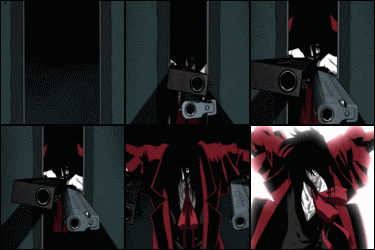
Ok Now paste on my dude in a new layer. Use Overlay for a quick and dirty effect and Presto!!

![[Image: avatardo2.png]](http://img250.imageshack.us/img250/3033/avatardo2.png)
![[Image: 8898078.png]](http://i144.photobucket.com/albums/r167/equinoxgfx/Tags/8898078.png)
![[Image: t_IthilCarancm_1e0f9cc.jpg]](http://www.picoodle.com/view.php?srv=img36&img=/8/6/25/f_IthilCarancm_1e0f9cc.jpg)
![[Image: harlequincopy.png]](http://i210.photobucket.com/albums/bb305/Dlunar/harlequincopy.png)
![[Image: untitled2ng5.jpg]](http://img523.imageshack.us/img523/6678/untitled2ng5.jpg)
![[Image: zysig1mn5.jpg]](http://img529.imageshack.us/img529/1664/zysig1mn5.jpg)
![[Image: lnsvictorybarsh9.jpg]](http://img234.imageshack.us/img234/5761/lnsvictorybarsh9.jpg)
![[Image: lnsfreedombaree8.jpg]](http://img395.imageshack.us/img395/5586/lnsfreedombaree8.jpg)
![[Image: lnsindepbaroj0.jpg]](http://img162.imageshack.us/img162/584/lnsindepbaroj0.jpg)
![[Image: xi10t1V.png]](https://i.imgur.com/xi10t1V.png)
![[Image: t_BSGstandardm_9cec18a.jpg]](http://www.picoodle.com/view.php?srv=img36&img=/8/6/26/f_BSGstandardm_9cec18a.jpg)

![[Image: 4yfi6c6.jpg]](http://i7.tinypic.com/4yfi6c6.jpg)
![[Image: 6cs0ztw.jpg]](http://i10.tinypic.com/6cs0ztw.jpg)
![[Image: 63ijmad.jpg]](http://i12.tinypic.com/63ijmad.jpg)
![[Image: 4pdjip5.jpg]](http://i19.tinypic.com/4pdjip5.jpg)
![[Image: 4vogl91.jpg]](http://i8.tinypic.com/4vogl91.jpg)
![[Image: 6eznubb.jpg]](http://i9.tinypic.com/6eznubb.jpg)
![[Image: 5xdc7lf.jpg]](http://i10.tinypic.com/5xdc7lf.jpg)
![[Image: 4pui6oz.jpg]](http://i8.tinypic.com/4pui6oz.jpg)