Hello everyone,
I assume you are clicking on this link because you are interested in making better signatures.
Good for you. There are a lot of sig makers on this forum. A lot of people doing work, and getting paid.
This is to help everyone. This is a short guide to things that are not worth paying for, or things that look overly bad in the final product.
Those who are buying signatures will be able to look for signatures that actually took time and skill to complete.
Those who are producing can make sure they avoid the 5 worst ideas to use in Photoshop, or other photo manipulation programs of choice.
With out further adieu, here is Number 1!
Number One: FLARE EFFECT
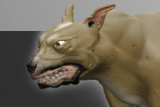
Oh yes, where do we start. The magic flare effect. Since its introduction to Photoshop Flare has been raped, and violated by all kinds of people. The simple but ineffective flare can be used to ruin any picture instantly. I cannot think of one instance where a flare by itself should be used in a picture. Everyone knows when you use it, no matter how you try to hide it. Or you try to pass it off as some star or planet in the background, it never ever ever looks good. It's cheesey, it's easy, and you should never buy a signature that uses it.
Number Two: BEVEL
Look who made an appearance today. Our good friend bevel! Bevel, is a tricky one because you can use bevel effectively for a quick fix. Something I wouldn't mind doing on a signature. But, if you do it this way it should be almost so subtle you can't tell you used it. But, look at the examples above. If you see these in your signature or the one you are about to pay for take it back. Bevels are another cheap and easy trick that have been created to appease are large group of morons. You can tell when a bevel device was used because it doesn't work right. The shading, the lighting, and the lines are all wrong.
Number Three: SHAPES
Here is one of my favorite. Shapes, everyone who has just been introduced to the bloated fly ridden corpse of modern Photoshop will notice the great selection of shapes in it. And shapes are another fun one, you feel like you have the world on a plate as you make beautiful vector images that size and rescale without losing data. Boy you feel special when you use them. Again, like with bevels I can actually find times when using a shape may be acceptable, but the biggest problem is making them the main focus of your signature or picture. Everyone who looks at your signature will know you just used a stock shape, and it wasn't actually any of your skill that went into the image. Secondly, and this is one of the most common problems I see is people resizing shapes to fit their image. While they scale accordingly stretching them out on the vertical or horizontal planes still distorts the image and makes it look terrible. I've seen more than one or two stretched leaves on this forum myself.
Number Four: ARTISTIC FILTERS (Mainly Artistic ones but there are many crappy filters like lens flare)
MMMM, filters. You are now god, look at this. With a touch of a button you can change any image into an artistic master piece. You can command the colors of the universe and align pixels to your will. Filter is your divine tool of pixelation masterfication. There are many many filters, and some do their job as they should, and have a time and place to be used. But there is one set that I often see used on these forums that disturbs me to no end. Artistic filters. This collection of filters honestly never should find it's way onto your final image. In my example up top, you can see Sad Jesus. Because Jesus got half of his head stuck in the "Colored Pencil" filter. You can also see how it doesn't look anything like a colored pencil drawing. Thats because it's a cheap gimmick. Looking through the Artistic filter list you will quickly notice you will never turn a crappy drawing into a good one by adding a crappier filter to it. It doesn't work. No matter how artistic you think, "Fresco", "Drybrush", and "Rough Pastels" makes your image, it doesn't.
Number Five: Magic Wand
The Magic Wand, is a tool. A very useful tool, and nothing more. I would never mock the magic wand, because I use it all the time. But it must be used with care and respect. To many people use it as a one shot selection tool. They just click on the character they want to steal off of someone else's art work, it makes a quick selection and it's as easy as copy and paste. This usually leaves a terrible border around the character or objects because the selection tool operates on a color basis. So the area around a character usually gets caught up in all the hub bub. If you get a signature and someones object or character looks like it has a pixelated grainy look to it's border it probably is from a bad magic wand selection. The problem is, if you see it, it's because the person who created the signature is too lazy to cut the image out themself or fix the selection.
And with that I shall end this short, but I hope helpful guide to what not to use in a signature.

![[Image: flare1.jpg]](http://img.photobucket.com/albums/v229/zeonace/flare1.jpg)
![[Image: bevel.jpg]](http://img.photobucket.com/albums/v229/zeonace/bevel.jpg)
![[Image: Shapes.jpg]](http://img.photobucket.com/albums/v229/zeonace/Shapes.jpg)
![[Image: coloredPencil.jpg]](http://img.photobucket.com/albums/v229/zeonace/coloredPencil.jpg)
![[Image: magic_wand.jpg]](http://img.photobucket.com/albums/v229/zeonace/magic_wand.jpg)
![[Image: 10850177_10205604867344576_7293107891114...g~original]](http://smg.photobucket.com/user/zeonace/media/10850177_10205604867344576_7293107891114358006_n_zpsd54fa9cd.png.html)