' Wrote:Both bretonian and kusari ships are suffering from errors. Most kusari ships end up in a single, bright color, without purple wings. Most bretonian ships suffer from the same kind of error, only this time there are no red parts. The nomad ships aren't there, because they are entirely translucent, something i'm unable to fix (yet).
Whats happening to the Kusari and Bretonian ships, is that they are displaying their textures true colors. You may have noticed that ships when rendered no longer carry their emblem colors. Note the Dreadnought's nose. The Liberty emblem should be colored, and the "axe tip" should be blue.
There is no real easy way around this. What needs to be done, is to check the material names. The material names are named after their texture and color modifier. For example, one of the materials on the Dreadnought is "liberty1_256B." The B after the texture name, signifies blue. In Lightwave, I give this material a blue overlay, and here comes the color!
Since i don't know how long these new ships will take, i decided to start uploading them anyway. If models get changed, let me know, since i converted the ships of 4.852, and am unaware of any model/skin changes after that.
The gallic ships will done after i'm finished with the rest of the ships. The gallic ships use the same colorization stuff as the bretonia and kusari ships (and the liberty logo on caps). I found a way to get some decent results, but it takes quite some time sometimes. For the ones who are trying themselves;
In milkshape you hit the "diffuse" button in the third tab (where you link the textures to the model parts). A new window will pop up showing certain color settings. Red, Blue and Green are the most important ones for this. Normal textures that don't have extra colorization have R: 53, B: 53, G: 53 i believe. Could also be 93 (i don't have milkshape with me to check).
In any case, remember those color settings. Get your hands on some tool to convert .dds files to .tga (or other picture files like jpg, png, psd etc). Convert the textures that need recoloring, open them in photoshop. Add a new layer, fill the new layer with the color settings you found in milkshape. You need to blend the new layer, (liberty, kusari and bretonia ships got the best result with "Multiply", but this doesn't work on all textures (as you can see with the liberty super transport, which is too red)). Next you play with opacity and fill settings a bit. I believe i used 90% on both for the bretonia, kusari and liberty shipline. After this you save the new texture to a seperate file (i advise to use the same name as the one in milkshape, "Lib1d" for example, this will link to the model part called "Liberty 1D" (meaning it's a bit Darker then the regular liberty 1 texture). After this you convert it back to .dds (not necessary when the files are already in .tga) and you link the newly made texture to the model part in milkshape. Note that the model itself will change color in milkshape, this is because the colorization settings get added the already colored texture. Don't mind these changes, it'll all work out once you render them in 3ds max.
I agree on that Yue Fei, but please bare with me. I'm doing those renders one after another (i spend about 8 hours non-stop on the ones that i recently posted). A lot of texture files get the same name. Since i have to rename almost all of them, i came up with general names. for example "Weaponsplate1" becomes "wepl1", Or "kusari panel 2" becomes "kpanel2". It's possible that i rendered the battlestar right after a gallic ship. That way it's possible that 3ds max took one of the textures from the gallic ship, instead of the correct one. I can't check and doublecheck every ship, and for some reason 4.85 ships get me a lot of errors.
There are some ships out there that are just perfect. Their textures have a unique 8character code like "GAEI82DL", so those will never screw up. However the majority don't have that kind of easyness, and those turn up having errors most of the time.
Remember that i'm reverse engeneering the renders (for lack of a better description). If i had all the original .3ds files, it would've been a lot easier.
Don't take this personal Yue Fei, but it's just that i notice that all errors are put out by you. I believe you are "xing", so it's understandable, since you are one of the designers.
I'm trying to finish the ships as soon as possible, since i'm pretty tired of it, but i don't want to leave it halfway done.


![[Image: trfreighters.png]](http://redfoxpaintball.com/la384/index.php?dir=484/&file=TRFreighter.png)
![[Image: xshuttles.png]](http://redfoxpaintball.com/la384/index.php?dir=484/&file=XShuttle.png)
![[Image: advancedtrains.png]](http://redfoxpaintball.com/la384/index.php?dir=484/&file=AdvancedTrain.png)
![[Image: armoredtransports.png]](http://redfoxpaintball.com/la384/index.php?dir=484/&file=ArmoredTransport.png)
![[Image: behemoths.png]](http://redfoxpaintball.com/la384/index.php?dir=484/&file=Behemoth.png)
![[Image: bwtransports.png]](http://redfoxpaintball.com/la384/index.php?dir=484/&file=BWTransport.png)
![[Image: bumblebees.png]](http://redfoxpaintball.com/la384/index.php?dir=484/&file=Bumblebee.png)
![[Image: ctransports.png]](http://redfoxpaintball.com/la384/index.php?dir=484/&file=CTransport.png)
![[Image: fireflys.png]](http://redfoxpaintball.com/la384/index.php?dir=484/&file=Firefly.png)
![[Image: gmgtranss.png]](http://redfoxpaintball.com/la384/index.php?dir=484/&file=GmgTrans.png)
![[Image: HeavyLifter-s.png]](http://redfoxpaintball.com/la384/index.php?dir=484/&file=HeavyLifter.png)
![[Image: heavytankers.png]](http://redfoxpaintball.com/la384/index.php?dir=484/&file=HeavyTanker.png)
![[Image: kusaritransports.png]](http://redfoxpaintball.com/la384/index.php?dir=484/&file=KusariTransport.png)
![[Image: largetrains.png]](http://redfoxpaintball.com/la384/index.php?dir=484/&file=LargeTrain.png)
![[Image: largetransports.png]](http://redfoxpaintball.com/la384/index.php?dir=484/&file=LargeTransport.png)
![[Image: mammoths.png]](http://www.redfoxpaintball.com/la384/484/Mammoth.png)
![[Image: miningshipsw.png]](http://www.redfoxpaintball.com/la384/484/MiningShip.png)
![[Image: percherons.png]](http://www.redfoxpaintball.com/la384/index.php?dir=484/&file=Percheron.png)
![[Image: piratetrains.png]](http://redfoxpaintball.com/la384/index.php?dir=484/&file=PirateTrain.png)
![[Image: piratetransports.png]](http://redfoxpaintball.com/la384/index.php?dir=484/&file=PirateTransport.png)
![[Image: trains.png]](http://redfoxpaintball.com/la384/index.php?dir=484/&file=Train.png)
![[Image: transports.png]](http://redfoxpaintball.com/la384/index.php?dir=484/&file=Transport.png)
![[Image: whales.png]](http://redfoxpaintball.com/la384/index.php?dir=484/&file=Whale.png)
![[Image: beetles.png]](http://redfoxpaintball.com/la384/index.php?dir=484/&file=Beetle.png)
![[Image: luxuryliners.png]](http://redfoxpaintball.com/la384/index.php?dir=484/&file=LuxuryLiner.png)
![[Image: prisonliners.png]](http://redfoxpaintball.com/la384/index.php?dir=484/&file=PrisonLiner.png)
![[Image: royalliners.png]](http://redfoxpaintball.com/la384/index.php?dir=484/&file=RoyalLiner.png)
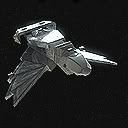
![[Image: civilianhawk01rwn2.jpg]](http://img209.imageshack.us/img209/8190/civilianhawk01rwn2.jpg)
![[Image: 1904bertydefender01rbv7.jpg]](http://img174.imageshack.us/img174/1904bertydefender01rbv7.jpg)
![[Image: 5642bertyfleet04rpb6.jpg]](http://img293.imageshack.us/img293/5642bertyfleet04rpb6.jpg)
![[Image: furiouscodingsig.jpg]](http://i16.photobucket.com/albums/b6/Why485/furiouscodingsig.jpg)
![[Image: Flak88Sig2.jpg]](http://i16.photobucket.com/albums/b6/Why485/Flak88Sig2.jpg)
![[Image: dreadnoughtnocolorfm2.jpg]](http://img16.imageshack.us/img16/6136/dreadnoughtnocolorfm2.jpg)
![[Image: dreadnoughtcolorwo1.jpg]](http://img15.imageshack.us/img15/7380/dreadnoughtcolorwo1.jpg)
![[Image: agamas.png]](http://redfoxpaintball.com/la384/index.php?dir=485/&file=Agama485.png)
![[Image: algmovers.png]](http://redfoxpaintball.com/la384/index.php?dir=485/&file=ALGMover485.png)
![[Image: arbeiters.png]](http://redfoxpaintball.com/la384/index.php?dir=485/&file=Arbeiter485.png)
![[Image: ascos.png]](http://redfoxpaintball.com/la384/index.php?dir=485/&file=Asco485.png)
![[Image: avengers.png]](http://redfoxpaintball.com/la384/index.php?dir=485/&file=Avenger485.png)
![[Image: barges.png]](http://redfoxpaintball.com/la384/index.php?dir=485/&file=Barge485.png)
![[Image: basilisks.png]](http://redfoxpaintball.com/la384/index.php?dir=485/&file=Basilisk485.png)
![[Image: battlestars.png]](http://redfoxpaintball.com/la384/index.php?dir=485/&file=Battlestar485.png)
![[Image: battlestaradvs.png]](http://redfoxpaintball.com/la384/index.php?dir=485/&file=BattlestarAdv485.png)
![[Image: bayonets.png]](http://redfoxpaintball.com/la384/index.php?dir=485/&file=Bayonet485.png)
![[Image: blackdragons.png]](http://redfoxpaintball.com/la384/index.php?dir=485/&file=BlackDragon485.png)
![[Image: bhgbcs.png]](http://redfoxpaintball.com/la384/index.php?dir=485/&file=BHGBC485.png)
![[Image: bhgbss.png]](http://www.redfoxpaintball.com/la384/index.php?dir=485/&file=BHGBS485.png)
![[Image: bhgdestroyers.png]](http://redfoxpaintball.com/la384/index.php?dir=485/&file=BHGDestroyer485.png)
![[Image: bhggunships.png]](http://redfoxpaintball.com/la384/index.php?dir=485/&file=BHGGunship485.png)
![[Image: bretoniatrains.png]](http://www.redfoxpaintball.com/la384/index.php?dir=485/&file=BretoniaTrain485.png)
![[Image: bretoniatransports.png]](http://www.redfoxpaintball.com/la384/index.php?dir=485/&file=BretoniaTransport485.png)
![[Image: broadswords.png]](http://www.redfoxpaintball.com/la384/index.php?dir=485/&file=Broadsword485.png)
![[Image: civibombers.png]](http://www.redfoxpaintball.com/la384/index.php?dir=485/&file=CiviBomber485.png)
![[Image: correos.png]](http://www.redfoxpaintball.com/la384/index.php?dir=485/&file=Correo485.png)
![[Image: corsaircruisers.png]](http://www.redfoxpaintball.com/la384/index.php?dir=485/&file=CorsairCruiser485.png)
![[Image: CorsairGB-s.png]](http://www.redfoxpaintball.com/la384/index.php?dir=485/&file=CorsairGB485.png)
![[Image: councilbss.png]](http://www.redfoxpaintball.com/la384/index.php?dir=485/&file=CouncilBS485.png)
![[Image: councilcruisers.png]](http://www.redfoxpaintball.com/la384/index.php?dir=485/&file=CouncilCruiser485.png)
![[Image: councilfreighters.png]](http://www.redfoxpaintball.com/la384/index.php?dir=485/&file=CouncilFreighter485.png)
![[Image: councilgunboats.png]](http://www.redfoxpaintball.com/la384/index.php?dir=485/&file=CouncilGunboat485.png)
![[Image: couriers.png]](http://www.redfoxpaintball.com/la384/index.php?dir=485/&file=Courier485.png)
![[Image: cuirassiers.png]](http://www.redfoxpaintball.com/la384/index.php?dir=485/&file=Cuirassier485.png)
![[Image: cuirassiernoirs.png]](http://www.redfoxpaintball.com/la384/index.php?dir=485/&file=Cuirassiernoir485.png)
![[Image: decurions.png]](http://www.redfoxpaintball.com/la384/index.php?dir=485/&file=Decurion485.png)
![[Image: dragoncruisers.png]](http://redfoxpaintball.com/la384/index.php?dir=485/&file=DragonCruiser485.png)
![[Image: fafnirs.png]](http://redfoxpaintball.com/la384/index.php?dir=485/&file=Fafnir485.png)
![[Image: falchions.png]](http://redfoxpaintball.com/la384/index.php?dir=485/&file=Falchion485.png)
![[Image: fabombers.png]](http://redfoxpaintball.com/la384/index.php?dir=485/&file=FABomber485.png)
![[Image: gaiangss.png]](http://redfoxpaintball.com/la384/index.php?dir=485/&file=GaianGS485.png)
![[Image: gallicbss.png]](http://redfoxpaintball.com/la384/index.php?dir=485/&file=GallicBS485.png)
![[Image: gallicbombers.png]](http://redfoxpaintball.com/la384/index.php?dir=485/&file=GallicBomber485.png)
![[Image: galliccivihfs.png]](http://www.redfoxpaintball.com/la384/index.php?dir=485/&file=GallicCiviHF485.png)
![[Image: galliccivilfs.png]](http://www.redfoxpaintball.com/la384/index.php?dir=485/&file=GallicCiviLF485.png)
![[Image: galliccruisers.png]](http://www.redfoxpaintball.com/la384/index.php?dir=485/&file=GallicCruiser485.png)
![[Image: gallicfreighters.png]](http://www.redfoxpaintball.com/la384/index.php?dir=485/&file=GallicFreighter485.png)
![[Image: gallicgbs.png]](http://www.redfoxpaintball.com/la384/index.php?dir=485/&file=GallicGB485.png)
![[Image: gallichfs.png]](http://www.redfoxpaintball.com/la384/index.php?dir=485/&file=GallicHF485.png)
![[Image: galliclfs.png]](http://www.redfoxpaintball.com/la384/index.php?dir=485/&file=GallicLF485.png)
![[Image: gallicvhfs.png]](http://redfoxpaintball.com/la384/index.php?dir=485/&file=GallicVHF485.png)
![[Image: geckos.png]](http://redfoxpaintball.com/la384/index.php?dir=485/&file=Gecko485.png)
![[Image: gladiators.png]](http://redfoxpaintball.com/la384/index.php?dir=485/&file=Gladiator485.png)
![[Image: gmgminers.png]](http://redfoxpaintball.com/la384/index.php?dir=485/&file=GMGMiner485.png)
![[Image: gcbombers.png]](http://redfoxpaintball.com/la384/index.php?dir=485/&file=GCBomber485.png)
![[Image: gcvhfs.png]](http://redfoxpaintball.com/la384/index.php?dir=485/&file=GCVHF485.png)
![[Image: grizzlys.png]](http://redfoxpaintball.com/la384/index.php?dir=485/&file=Grizzly485.png)
![[Image: harvestercruisers.png]](http://redfoxpaintball.com/la384/index.php?dir=485/&file=HarvesterCruiser485.png)
![[Image: imgbcs.png]](http://redfoxpaintball.com/la384/index.php?dir=485/&file=IMGBC485.png)
![[Image: imgbombers.png]](http://redfoxpaintball.com/la384/index.php?dir=485/&file=IMGBomber485.png)
![[Image: imggss.png]](http://redfoxpaintball.com/la384/index.php?dir=485/&file=IMGGS485.png)
![[Image: imgtransports.png]](http://redfoxpaintball.com/la384/index.php?dir=485/&file=IMGTransport485.png)
![[Image: jaguars.png]](http://redfoxpaintball.com/la384/index.php?dir=485/&file=Jaguar485.png)
![[Image: jaguarnoirs.png]](http://redfoxpaintball.com/la384/index.php?dir=485/&file=JaguarNoir485.png)