• Home
  • Index
  • Search
  • Download
  • Server Rules
  • House Roleplay Laws
  • Player Utilities
  • Player Help
  • Forum Utilities
  • Returning Player?
  • Toggle Sidebar
Interactive Nav-Map
Tutorials
New Wiki
ID reference
Restart reference
Players Online
Player Activity
Faction Activity
Player Base Status
Discord Help Channel
DarkStat
Server public configs
POB Administration
Missing Powerplant
Stuck in Connecticut
Account Banned
Lost Ship/Account
POB Restoration
Disconnected
Member List
Forum Stats
Show Team
View New Posts
View Today's Posts
Calendar
Help
Archive Mode


Hi there Guest,  
Existing user?   Sign in    Create account
Login
Username:
Password: Lost Password?
 
  Discovery Gaming Community The Community Media Center
« Previous 1 … 180 181 182 183 184 … 216 Next »
Engine trail

Server Time (24h)

Players Online

Active Events - Scoreboard

Latest activity

Pages (2): 1 2 Next »
Engine trail
Offline Weedalot
04-01-2009, 07:32 PM,
#1
Member
Posts: 2,364
Threads: 38
Joined: Oct 2008

How do i make engine trails with PS? any tutorials or someone can explain it? (simple way will do )

♠ Because we can ♠
  Reply  
Offline ioha
04-01-2009, 08:07 PM,
#2
Member
Posts: 967
Threads: 16
Joined: Oct 2007

Basically, you only need a variety of good brushes (I do use both, custom ones as well as presets).

Then, create a new layer, and draw with a white brush set on maximal angle jitter. Then go to your layer, right-click and select Fill Options (dunno if that's the correct translation, the one under layer properties, second from top).
There, select Outer Glow and choose a fitting colour for your engine trail. You can also play a bit with the filter and blending modes to get different results.

Also: don't over-use Outer Glow, and take care that your engine trail looks 'logical', perspective-wise.

That's how I do 'em:)

[Image: GhostSleip.png]

Sebastian Goldig | Carlos "Coyote" Wells | Joshua Cooper
Colony News Service | Bretonian Royal Court | Characters & Biographies | Signatures & Designs
  Reply  
Offline Weedalot
04-01-2009, 08:17 PM,
#3
Member
Posts: 2,364
Threads: 38
Joined: Oct 2008

' Wrote:Basically, you only need a variety of good brushes (I do use both, custom ones as well as presets).

Then, create a new layer, and draw with a white brush set on maximal angle jitter. Then go to your layer, right-click and select Fill Options (dunno if that's the correct translation, the one under layer properties, second from top).
There, select Outer Glow and choose a fitting colour for your engine trail. You can also play a bit with the filter and blending modes to get different results.

Also: don't over-use Outer Glow, and take care that your engine trail looks 'logical', perspective-wise.

That's how I do 'em:)
thanks:(it looks complicated. but i will try

♠ Because we can ♠
  Reply  
Offline Lux
04-01-2009, 08:21 PM, (This post was last modified: 04-01-2009, 08:21 PM by Lux.)
#4
Member
Posts: 1,161
Threads: 7
Joined: Jul 2008

Thanks, I'll try playing around with that technique. My engine trails aren't exactly fantastic at the moment:P. (Now I need to find some good brushes for this. Ugh.)

[Image: Aai7V.png]

THEY TOLD ME I COULD BE ANYTHING SO I BECAME A SIGNATURE PLS HLP
  Reply  
Offline Weedalot
04-01-2009, 08:22 PM,
#5
Member
Posts: 2,364
Threads: 38
Joined: Oct 2008

' Wrote:Thanks, I'll try playing around with that technique. My engine trails aren't exactly fantastic at the moment:P. (Now I need to find some good brushes for this. Ugh.)
yea i tried to do at least the tails you did on my nova sig, this is what i am working on right now

♠ Because we can ♠
  Reply  
Offline Lux
04-01-2009, 08:24 PM,
#6
Member
Posts: 1,161
Threads: 7
Joined: Jul 2008

Heh. That was just a brush and some squiggly lines with blending effects.

:laugh:

[Image: Aai7V.png]

THEY TOLD ME I COULD BE ANYTHING SO I BECAME A SIGNATURE PLS HLP
  Reply  
Offline ioha
04-01-2009, 09:20 PM,
#7
Member
Posts: 967
Threads: 16
Joined: Oct 2007

' Wrote:(Now I need to find some good brushes for this. Ugh.)

http://www.deviantart.com/#catpath=resourc...es&order=13

:)

[Image: GhostSleip.png]

Sebastian Goldig | Carlos "Coyote" Wells | Joshua Cooper
Colony News Service | Bretonian Royal Court | Characters & Biographies | Signatures & Designs
  Reply  
Offline Lux
04-01-2009, 09:22 PM,
#8
Member
Posts: 1,161
Threads: 7
Joined: Jul 2008

*Hugs Sleipnir*

Thanks ^_^

[Image: Aai7V.png]

THEY TOLD ME I COULD BE ANYTHING SO I BECAME A SIGNATURE PLS HLP
  Reply  
Offline ioha
04-01-2009, 09:29 PM,
#9
Member
Posts: 967
Threads: 16
Joined: Oct 2007

You're welcome.

If used correctly, one can create quite the fine artwork/design with the resources available from the net. Just a matter of time, skill, passion and composition:)

I'd love to see more people get the tools to create their own designs on Discovery. Inspiration's always a good thing.

[Image: GhostSleip.png]

Sebastian Goldig | Carlos "Coyote" Wells | Joshua Cooper
Colony News Service | Bretonian Royal Court | Characters & Biographies | Signatures & Designs
  Reply  
Offline Weedalot
04-02-2009, 02:57 AM,
#10
Member
Posts: 2,364
Threads: 38
Joined: Oct 2008

' Wrote:You're welcome.

If used correctly, one can create quite the fine artwork/design with the resources available from the net. Just a matter of time, skill, passion and composition:)

I'd love to see more people get the tools to create their own designs on Discovery. Inspiration's always a good thing.
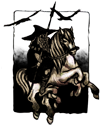
yea i am trying my best here:P

♠ Because we can ♠
  Reply  
Pages (2): 1 2 Next »


  • View a Printable Version
  • Subscribe to this thread


Users browsing this thread:
1 Guest(s)


Powered By MyBB, © 2002-2026 MyBB Group. Theme © 2014 iAndrew & DiscoveryGC
  • Contact Us
  •  Lite mode
Linear Mode
Threaded Mode