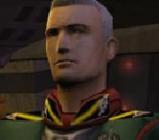
Your first is the best, but you need to drop the animation gimmick, or at least tone it down. The reason I say the first is the best is because you don't overuse filters (sunburst, liquify, etc.), and the ship isn't front and center. In design, the center is hard to pull off properly, I'd suggest offsetting to either side. Also on the first, there's a slight bit of white around the battleship. If you use Photoshop, get used to masking using the pen tool. Draw the outline of the ship you are cutting out. Click and drag to create bends. It'll take a bit to get used to, but it's much better than the selection tool. After you have the ship outlined and closed the path (connected the ends), right click and select "Make mask" or something like that. Google search for "tutorial pen mask" and you should find some videos.
Best suggestions. Also, good work sticking to a colour scheme in the first, it helps it feel more properly composed.
' Wrote: Get rid of the Animation and save it as .png. .gif has bad quality, you can notice the noise. If you want to keep it animated I suggest using animated .png's.
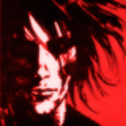
Same as above, get rid of the animation. Problem here is the jagged edges on the letters. Use Anti aliasing on the text and get rid of the bevel & emboss.
This one looks good.
Lens flare is a no-no. It looks ugly and doesn't fit. You could also do a custom space background. I'll link a tutorial. Another problem, the drop shadow at the bottom is cut off. I know it's in my signature too, but it doesn't look good.
The background is ugly as hell. Don't use coloured noise. And there also is too much noise.
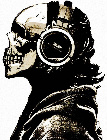
This one looks OK, though it could use tech brushes.
- Do make an attempt at blending your render into the background to make them look natural
- Do think of more interesting compositions
Don't
- Don't spam brushes
- Don't use the obvious lens flare
- Don't cut your signatures into shapes just because you think it'd look good, work on the actual content first.
- Don't put obvious glow around your renders, it looks cheap
- Don't use ship renders from the wiki and leave them at the exact same angle, skew them at least.

![[Image: itrheinland1.gif]](http://img228.imageshack.us/img228/6026/itrheinland1.gif)
![[Image: unbenannt1.gif]](http://img543.imageshack.us/img543/153/unbenannt1.gif)
![[Image: mercsigfinal.png]](http://img530.imageshack.us/img530/4458/mercsigfinal.png)
![[Image: blitz1.png]](http://img96.imageshack.us/img96/350/blitz1.png)
![[Image: rheinland1.png]](http://img151.imageshack.us/img151/2584/rheinland1.png)
![[Image: itrandom1.png]](http://img508.imageshack.us/img508/2798/itrandom1.png)
![[Image: itrheinland3.png]](http://img716.imageshack.us/img716/5374/itrheinland3.png)
![[Image: zolanbhsig.png]](http://imageshack.us/photo/my-images/560/zolanbhsig.png/)
![[Image: gunboatsig1.png]](http://imageshack.us/photo/my-images/339/gunboatsig1.png/)
![[Image: incomming1.png]](http://imageshack.us/photo/my-images/805/incomming1.png/)
![[Image: transmissionbar2.png]](http://imageshack.us/photo/my-images/52/transmissionbar2.png/)
![[Image: osiris.png]](http://imageshack.us/photo/my-images/805/osiris.png/)
![[Image: bundesgrenzschutzlogo.png]](http://imageshack.us/photo/my-images/26/bundesgrenzschutzlogo.png/)
![[Image: rheinlandabstrakt.png]](http://imageshack.us/photo/my-images/207/rheinlandabstrakt.png/)
![[Image: simonalgsig.png]](http://img204.imageshack.us/img204/8610/simonalgsig.png)
![[Image: rheinlandbundespolizeib.png]](http://imageshack.us/photo/my-images/24/rheinlandbundespolizeib.png/)

![[Image: 60d.gif]](http://i0.kym-cdn.com/photos/images/original/000/800/487/60d.gif)
![[Image: dragonfinal.png]](http://img232.imageshack.us/img232/4221/dragonfinal.png)

![[Image: bOrMY.png]](http://i.imgur.com/bOrMY.png)

![[Image: jxie93.gif]](http://sig.grumpybumpers.com/host/jxie93.gif)